• Go To Website
  • Go To Website
home/Knowledge Base/Resellers/How to customize cPanel accounts
Popular Search:Reseller Hosting, VPS Hosting, Professional Mail

How to customize cPanel accounts

For internet enterprises, branding is critical. The more locations your company’s brand appears, the more likely it is to stick in the minds of customers.The instructions below will teach you how to match the look of your cPanel interfaces to your company’s branding.


Customize Branding

1. Log in to WHM and go to cPanel > Customization in the cPanel area.

2. Change your Paper Lantern theme’s logo, favicon, and other information for your cPanel users under the Customize Branding page. The cPanel user sees the root user’s branding if it exists if the account owner does not set custom branding
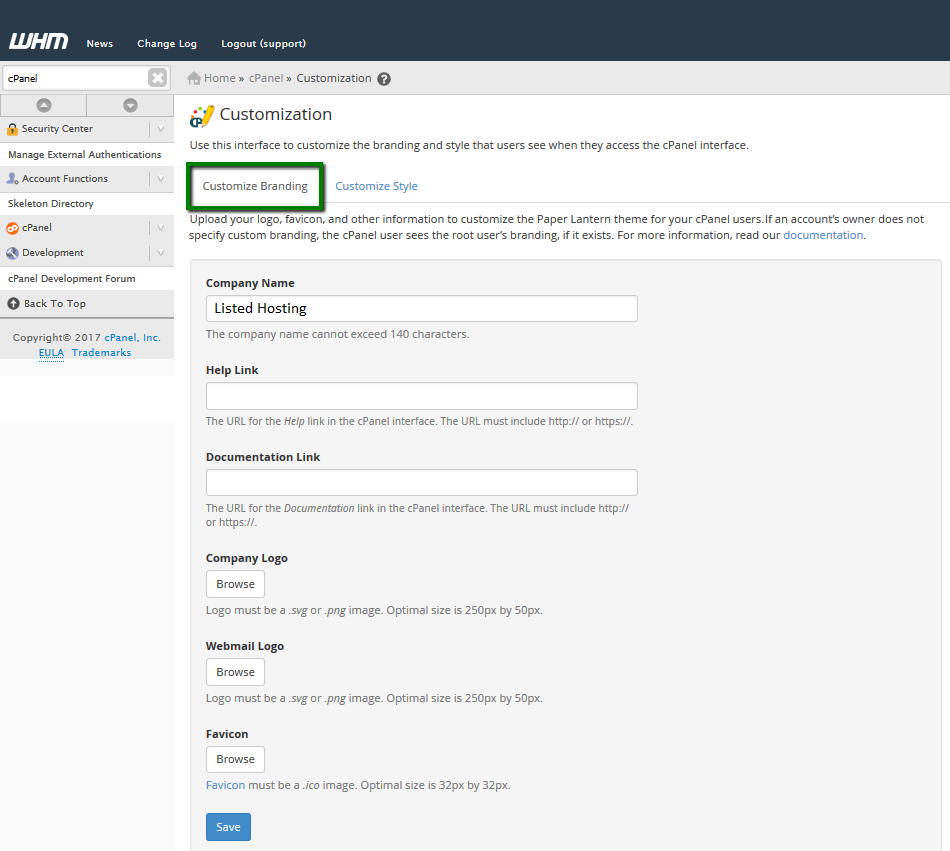


Company Name – type it in here to personalize the interface with your company’s name. The firm name can’t be more than 140 characters long.

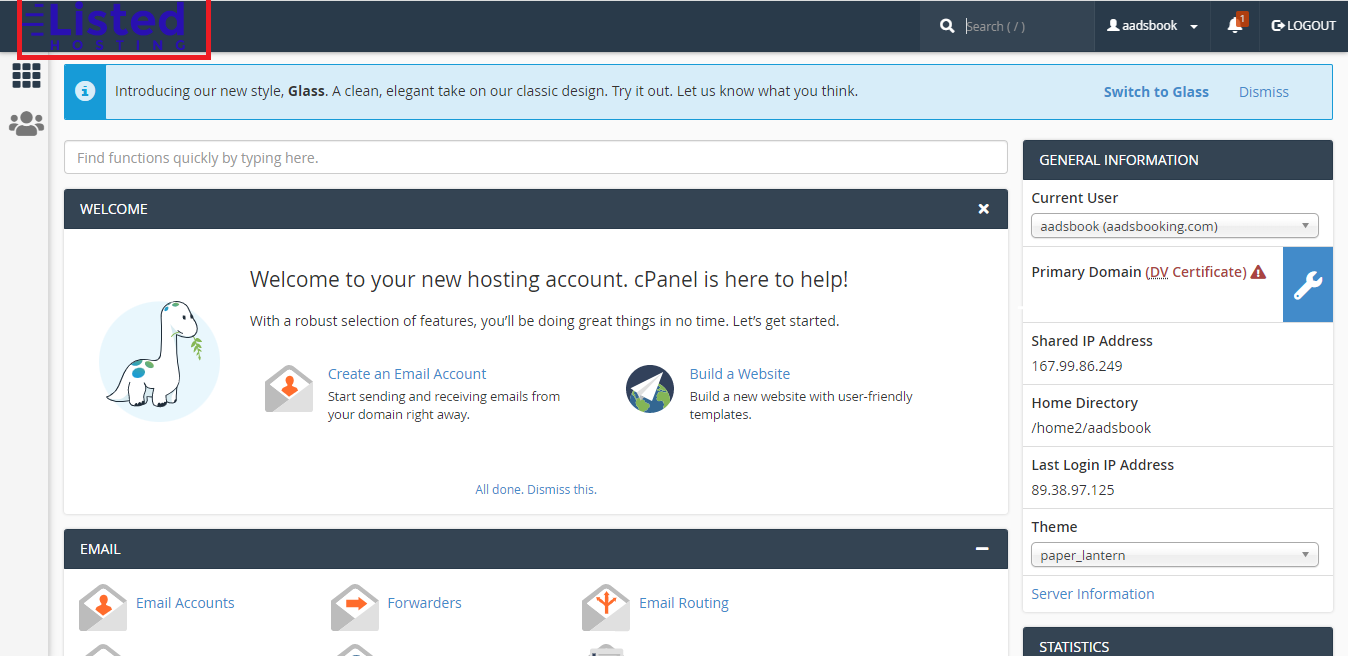
NOTE: If you don’t want to upload a custom logo, use this option.
Your company name will show in the default cPanel typeface if you choose this option.


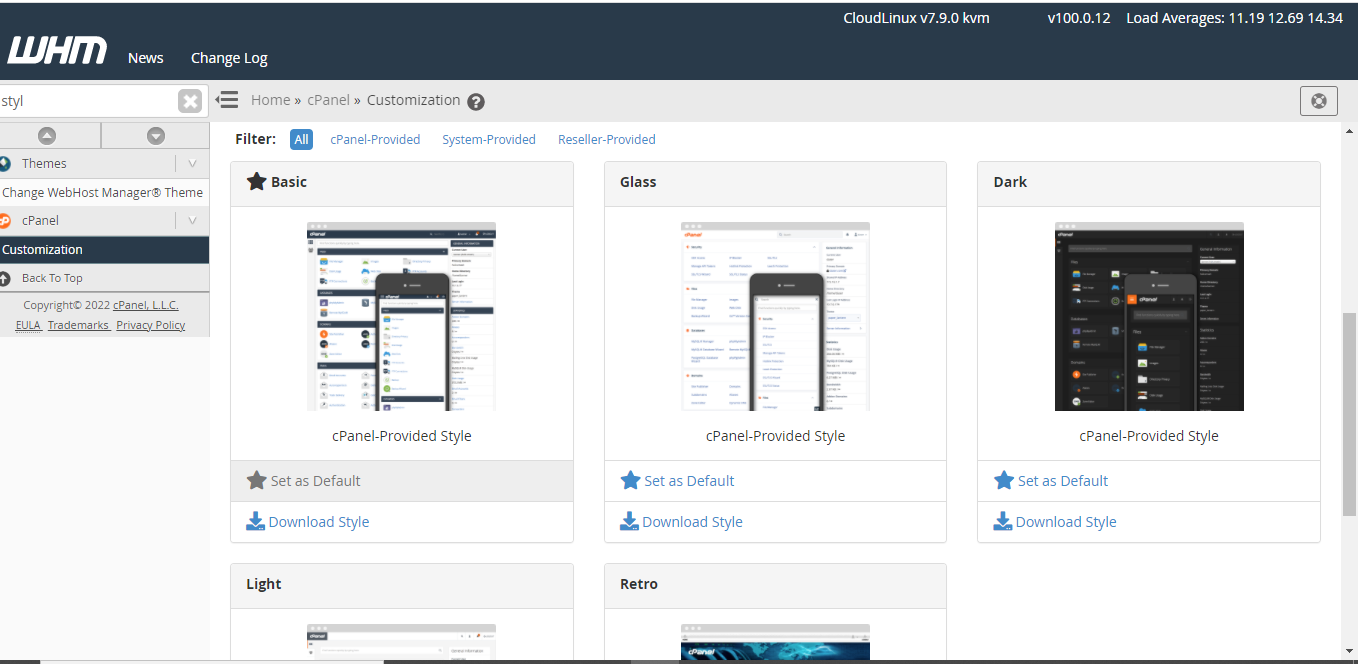
Customize Style

Customize Style tab allows to customize the appearance of the cPanel interface:
 

Was this helpful?

Yes  No
Related Articles
  • How to set up custom nameservers
  • Can I Livestream Audio or Video?
  • How to Host Git Repositories with cPanel
  • How to Link WHM Account to WHMCS
  • Difference Between Managed Cloud Server and Reseller Hosting
  • How to create and manage cPanel accounts in WHM
Leave A Comment

You must be logged in to post a comment.

Resellers
  • How to customize cPanel accounts
  • How to set up custom nameservers
  • Can I Livestream Audio or Video?
  • How to Host Git Repositories with cPanel
  • How to Link WHM Account to WHMCS
  • Difference Between Managed Cloud Server and Reseller Hosting
View All 22  
Popular Articles
  • How to install FREE SSL on cPanel
  • How to Install WordPress Online Using Softaculous App Installer
  • Listed Hosting Nameservers
  • How to register a domain, transfer a domain and buy Hosting Plan
  • Enable or Disable PHP’s GD Extension in cPanel
Categories
  • Databases
  • WordPress
  • Email
  • Domain
    • Transfer
  • SSD Hosting
  • Nameservers
  • Cloud VPS
  • PHP
  • Migration
  • Resellers
    • WHMCS
    • WHM
  • Security
    • SSL
  • Professional Business Mail
  • Affliates
  • Dedicated Servers
  • Billings & Payments
  • DNS
  • Files & Access
  • Cloudflare
  • cPanel
    • Softaculous
  • Backup
  • Node.js
  • General
  • Domain Reseller

  How to edit DNS Zone of a particular Domain Name in WHM

How to create packages and feature lists in WHM  

  • © 2020 - 2024. Listed Hosting. All Rights Reserved.

Popular Search:Reseller Hosting, VPS Hosting, Professional Mail